
Product UpdatesFebruary 4, 2022

Introduced Secondary Colour In Custom Branding

Add a secondary colour to your account while using custom branding, and enhance your experience with comment & edit pins.

Introduced Secondary Colour In Custom Branding

We’ve introduced a secondary colour in our custom branding. Adding this secondary colour will help you easily differentiate between your comment and edit pins. For reference:
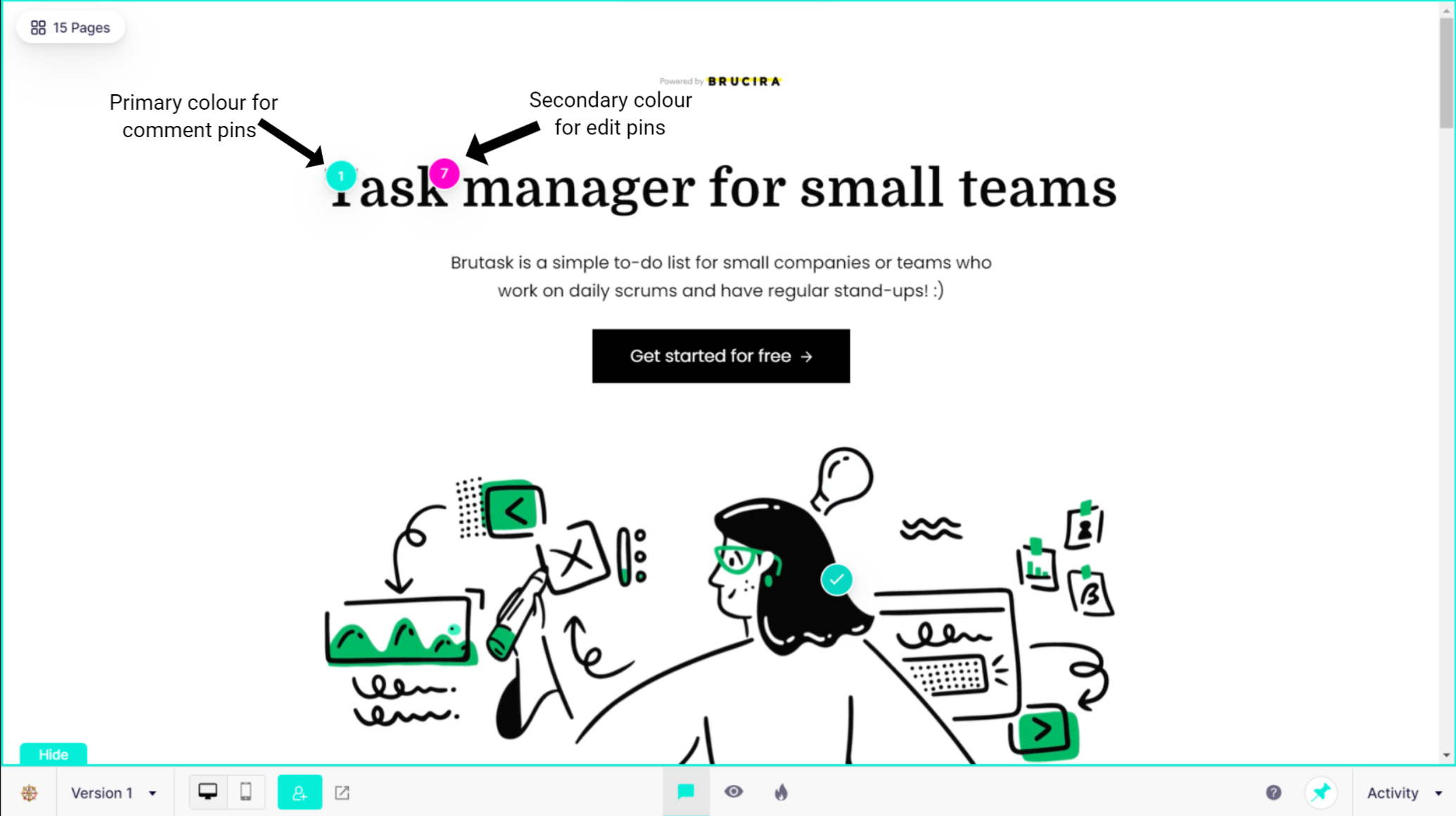
Secondary color image

For this update simply go to Custom Branding in your Account Settings, select the secondary colour you want and save the changes.

H

Harsh Vijay

Ready to upgrade how you communicate?

Get started for free!